KEES Availability this Weekend
Saturday 7/21: 8am – 8pm
Sunday 7/22: 12pm - 6pm
An ImageNow update going in over the weekend will require users to reset their ImageNow defaults (Application Plan and Capture Profile). On Monday morning all defaults will have been cleared and will need to be set back up again.
All DCF Users who have a new style scanner (7160 black in color)
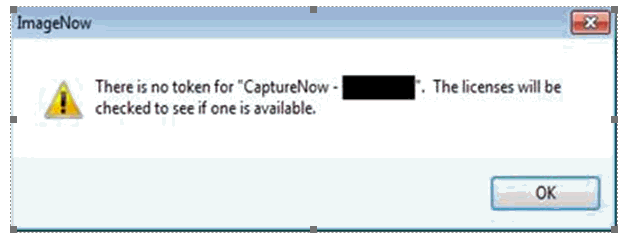
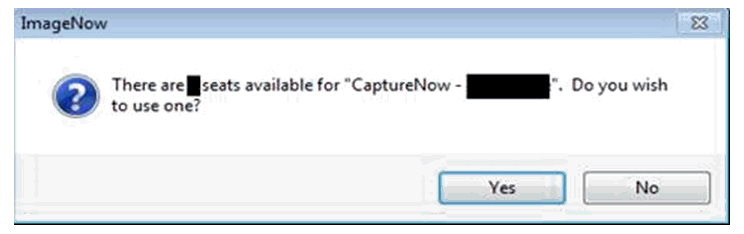
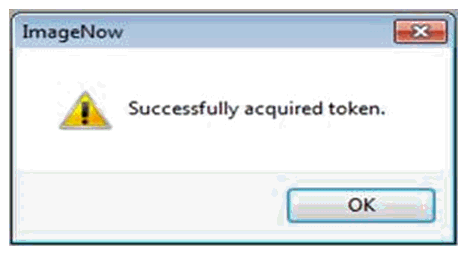
DCF users who have a new style scanner will need to leave their computers on Friday night when they leave. This will allow the DCF IT Service Desk to upload the new scanner profile to their machine over the weekend. Users will need to claim a scanner token when attempting the first scan of the day on Monday. Once the user has loaded a document, clicked Capture, selected the Received Date and started the scanning process, a prompt will be received.
Please follow the steps below:
Buy In Reminder
The Buy In Deletion Report will be available to eligibility staff on the 14th of each month, or the first working day following the 14th unless otherwise notified. The Buy In file will be sent to CMS early on the morning of the 21st. This means the Buy In Deletion Report will need to be completed by 5:00 PM on the 20th. Any cases newly authorized between the 14th and the 20th that qualify for immediate buy in, or cases that need the deletion to be removed from the CMS file, will need to have an email sent to the DXC Buy In team no later than 2:00 PM on the 20th so they can be manually processed.
LOC-KSXIX-BuyIn@groups.ext.hpe.com
Medical Processing Deadlines
Processing Deadlines – Fiscal Year 2019 can be found on the KEES Repository under Other Helpful Information.
IR Reminder Forms (ES-3116)
DCF has received a waiver from FNS that allows us to stop sending the IR Reminder Forms (ES-3116) for Food Assistance. KEES will stop sending the forms effective immediately. The last time they were sent was in June 2018 and will not be sent again.
Non-Medical Processing Deadlines
DCF 2018 Processing Deadlines can be found on the DCF Intranet under Policy and Procedures.
Call Center Phone Number: 844-723-5337
KEES Tier 1 (Access Issues Only)
KEES Repository KEES Medical User Manual KEES Non-Medical User Manual