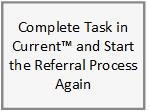
This business process flow shows the high level steps utilized to make an Employment Services client referral through the Provider Portal.
Career Navigators for Work Programs, FAET, or GOALS use the Customer Activity Detail page to refer a client to a provider for services. Information entered on the page populates on the P301: Employment Services Client Referral form after clicking the Generate Form button from the Customer Activity Detail page.
Completes the Customer Activity Detail page. Pay close attention to the Activity Name and Session Description selected on the Select Activity page. The Session Description field populates as the referred Service on the P301: Employment Services Client Referral form. Providers who offer more than one service to DCF clients use this field to determine what services for which the client is referred.
Generates the referral form by re-opening the Customer Activity Detail page from the Customer Activity List page using the Activity Name hyperlink and clicking the Generate Form button.
Reviews the form, make any necessary updates, and click the Send to Provider button on the form.
Populates the referral information in the Provider Portal and attaches a PDF version of the P301: Employment Services Client Referral form to the referral.
Logs in to the Provider Portal and clicks the View Client Referrals hyperlink.
Searches for and view client referral(s).
Accepts or rejects the referral and provides a rejection reason if the referral cannot be accepted.
Generates a task for the Career Navigator assigned to the consumer’s applicable Work Programs or FAET program block. If the provider accepted the referral, the task name is Provider Referral Accepted. If the provider rejected the referral, the task name is Provider Referral Rejected. The rejection reason can be viewed in the task details.
Opens task in Current™.
Takes any necessary action on the case.
Completes the task with an outcome in Current™.
All referral forms sent on a case can be viewed in Distributed Documents and have a status of Sent to Provider. This status means the form was sent electronically through the Provider Portal and not mailed.
If a Career Navigator is making a referral for a client to the same provider under the same Activity Name for two separate services (known as session description in KEES) concurrently, note the second referred service in the Notes section of the P301 and the Additional Comments section on the Customer Activity Detail page. Career Navigators should not create two separate referrals.