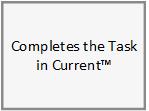
This business process flow shows the high level steps utilized during the participant attendance process from the Provider Portal to KEES.
After a consumer is referred to a provider through the KEES referral process, the provider uses the Provider Portal to communicate to DCF about the consumer’s progress and participation. Providers are instructed to submit attendance to DCF every Tuesday for the previous week.
Logs in to their Provider Portal account and clicks the Submit Participant Activity hyperlink.
Locates the consumer by searching on Service Category, Service Type, and Activity Name.
Completes the Participant Attendance screen within the Provider Portal by entering attendance hours for each day of the week. If a client did not attend on a certain day, 0 is entered for that day.
Uploads any supporting documents and submits the information.
Maps attendance hours to the consumer’s Activity Progress Detail page and generates the Provider Portal – Report Activity Participation task for the Career Navigator assigned to the consumer’s applicable Work Programs or FAET program block.
Opens task in Current™.
Uses the hyperlink associated to the tasks in Current™ to navigate to the task in KEES
Uses the images button from Task Details in KEES to view a PDF of the attendance hours and any supporting documents.
Re-index the documents to the Work Programs document type.
Journal attendance hours were received and any other case action that is taken.
Completes the task with an outcome in Current™.
Clicking the Provider Reported Activity Participation hyperlink within the task details window navigates the user to the Participant Activity Request Summary page in KEES. This page displays a summary of what the Provider reported through the Provider Portal. If there are issues with the PDF or data populating on the Activity Progress Detail page, the Participant Activity Request Summary page can be viewed.