1700 Error – LTC Data Detail Pages
If there are ANY incomplete LTC Data Detail pages a 1700 Error is generated regardless of whom coverage is requested for.
Hiding additional people on the case will not prevent the 1700 Error.
If the consumer has open KEES coverage, please follow the appropriate process to have the LTC Data Detail page completed.
If the consumer has no current LTC coverage please do not edit or remove these records. These issues need to be reported to the KEES Help Desk.
Please alert the Help Desk if the case is for a pregnant woman or urgent medical.
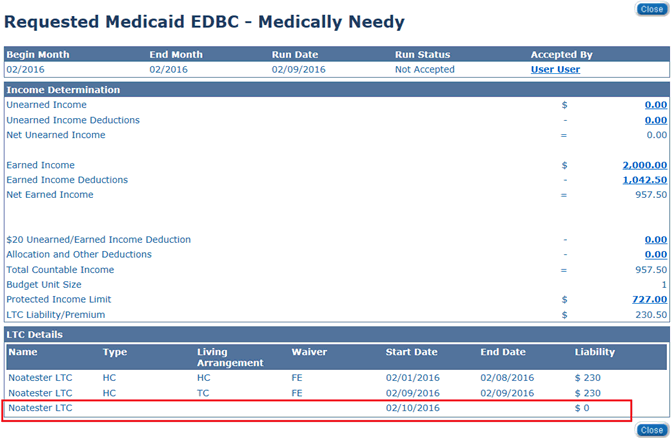
If you see this on the Budget screen it means there is overlapping LTC data for the period of time in the segment with blank codes:
This means for 2/10 to a high date there is conflicting data in the LTC Data Detail pages. The user should Cancel out of the EDBC result (do not Accept and Save) and then navigate to the LTC Data Detail pages to correct the data before running EDBC again.