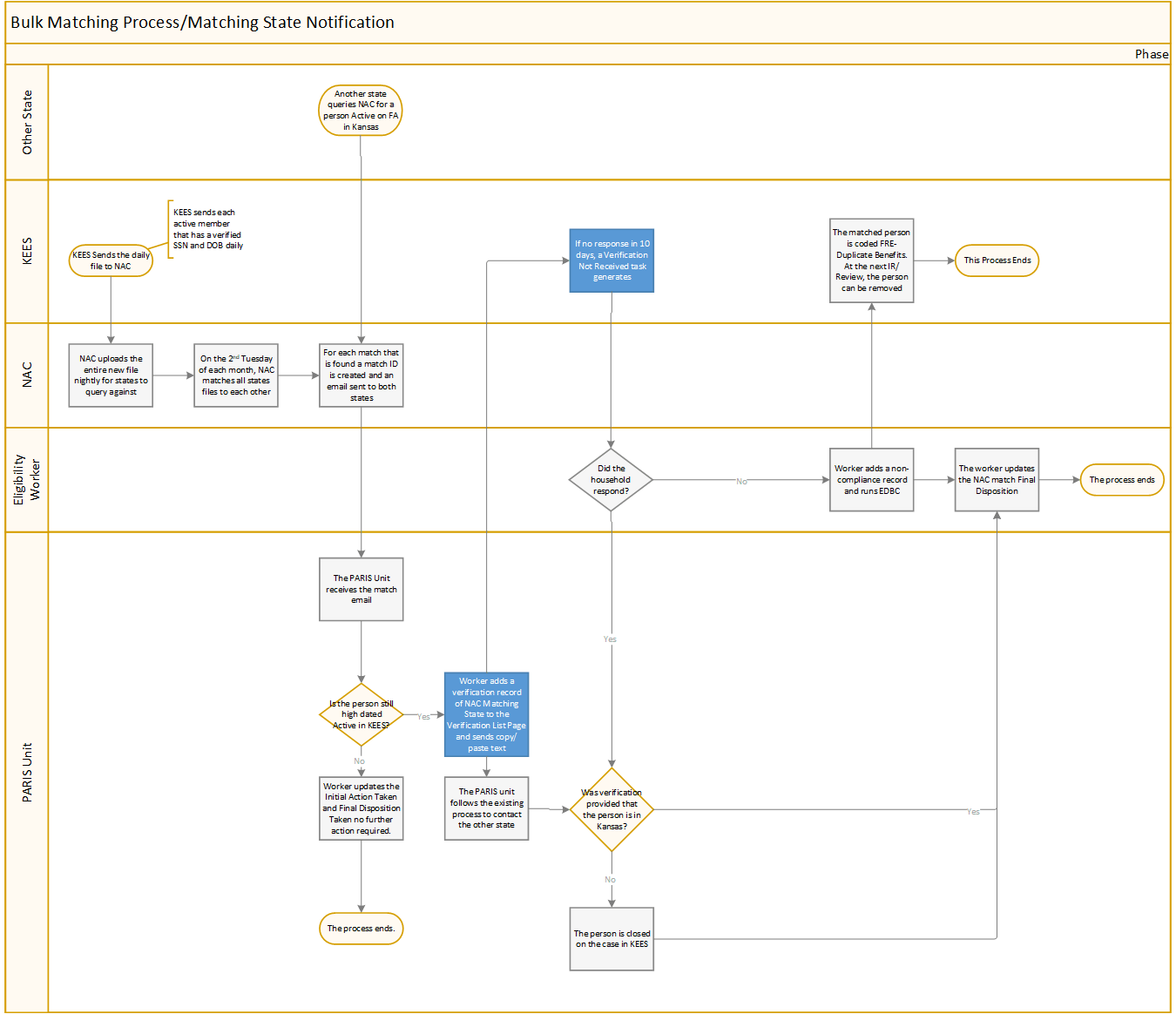
Taking initial action as the Matching State is completed after Kansas is notified of a match that we did not initiate. Initial action can only be completed after appropriate actions have been taken to attempt to resolve the match. Prior to taking initial action, a match must be located by completing the steps for Searching for an Existing NAC Match.
From the Duplicate Participation Match Details page
Select the appropriate Vulnerable Individual radio button.
Select either Notice Sent or Client Verified Moved Out of State from the Initial Action Taken drop-down menu.
NOTE: If Notice Sent is selected the worker must have already added a verification record for NAC Matching State and sent the Notice of Match Received – Matching State.
Enter the Initial Action Date using the <mm/dd/yyyy> format or the calendar icon.
Click the Submit to NAC button.