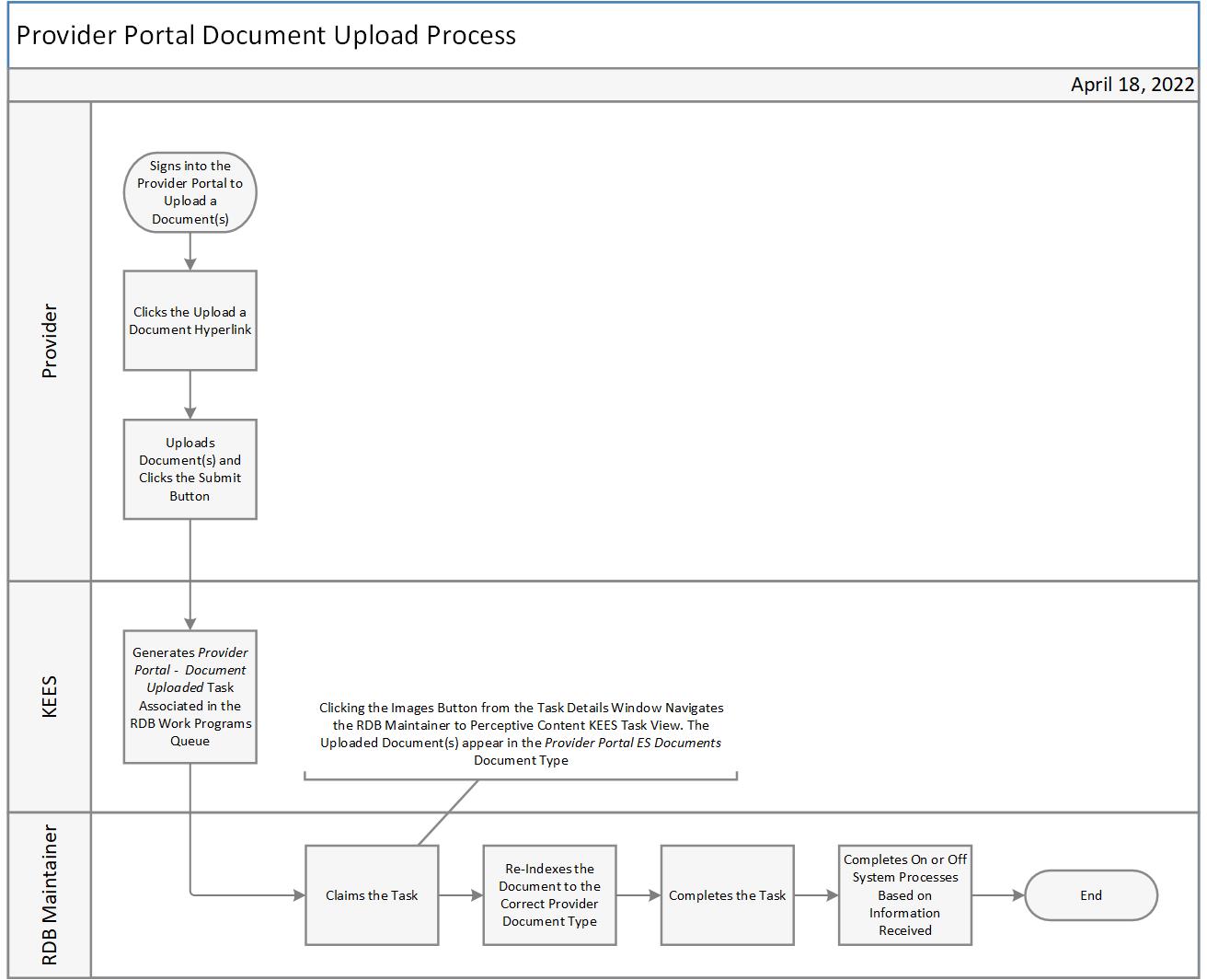
This business process flow shows the high level steps utilized when a provider uploads a document in the Provider Portal for a Resource Databank (RDB) Maintainer.
When a provider uploads a document in the Provider Portal, KEES generates a Provider Portal – Document Uploaded task for the RDB Work Programs queue.
Use the Task Inventory page to locate and open the task details window. Select the following filters to locate Provider Portal – Document Uploaded tasks:
Queue: RDB Work Programs
Task: Provider Portal – Document Uploaded
Status: New
Claim the task.
Click the Images button from the task details window to view the uploaded document in KEES Task View within Perceptive Content.
Use the e-form to re-index the documents from the Provider Portal ES Documents document type to the appropriate provider document type.
Complete the task.
Providers can also upload documents when submitting participant attendance. In this scenario, a task is generated for the case number and career navigator. See the Provider Portal Submit Participant Attendance Process for more information.