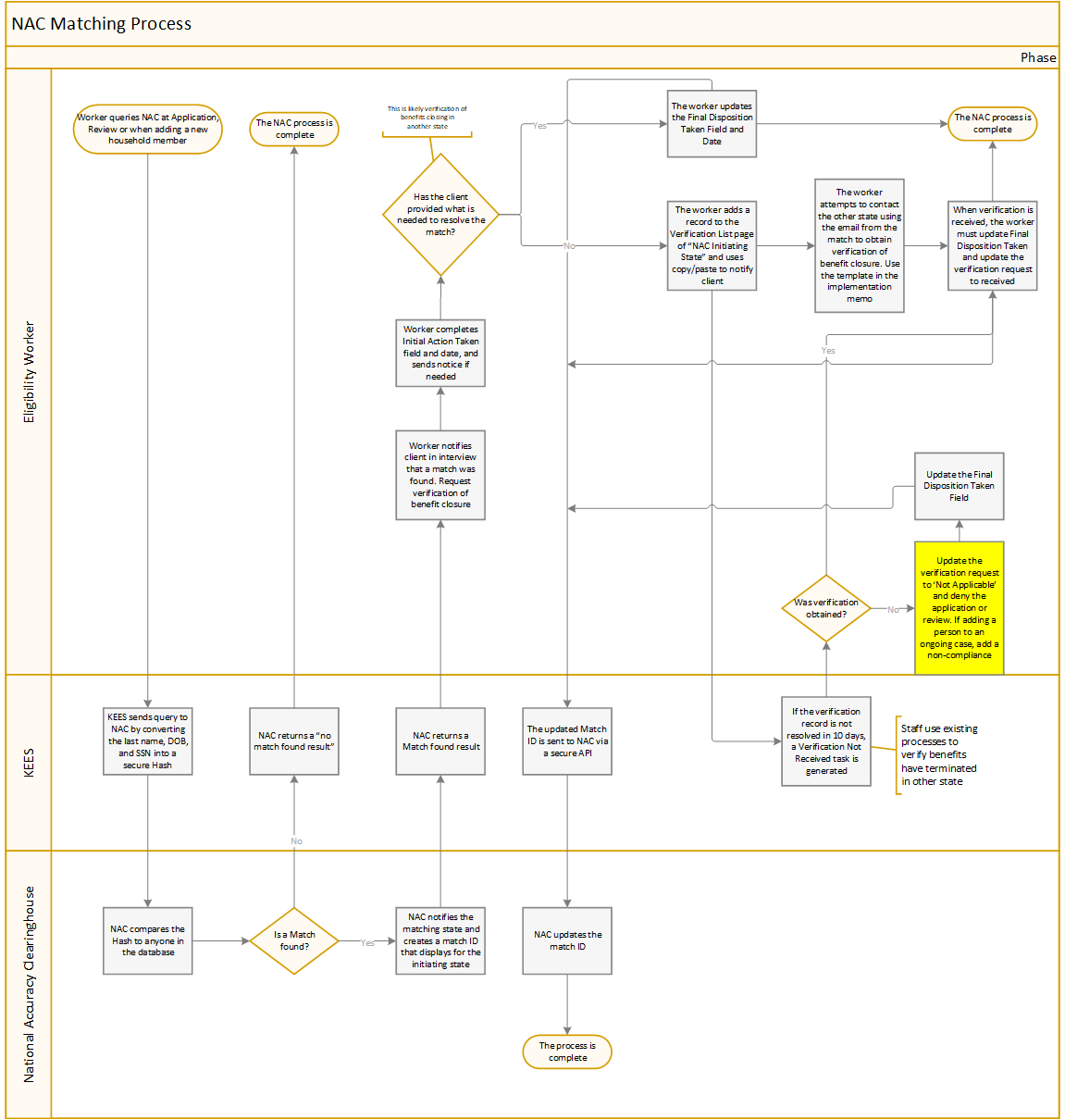
Taking initial action as the Initiating State can only be done after appropriate case action has been taken. Prior to taking initial action, a match must be located by completing the steps for Running a NAC Query or Searching for an Existing NAC Match.
From the Duplicate Participation Match Details page:
Select the appropriate Vulnerable Individual radio button.
Select either Notice Sent or Client Provided Required Verification from the Initial Action Taken drop-down menu.
NOTE: If Notice Sent is selected the worker must have already added a verification record for NAC Initiating State and sent the Notice of Match Received – Initiating State.
Enter Initial Action Date using the <mm/dd/yyyy> format or the calendar icon.
Click the Submit to NAC button.